



Product Design
Turning complex product ideas into clear,
usable digital experiences.
I design digital products by connecting user needs, business goals, workflows and interface decisions into a coherent experience. My work helps teams move from unclear requirements or fragmented ideas to product flows, screens and systems that are easier to use, build and maintain.
- SaaS Products
- Internal Tools
- Enterprise Platforms
- Information Architecture
- Dashboards
- Portls
- Service Products
- Complex Web Apps
- Employee Hubs
- Mobile Apps
What Product Design means in practice
I see it as the process of shaping how a digital product works, not only how it looks. Connecting product goals, user tasks, business rules, content, data, interface behaviour and technical constraints.
In practice, this means understanding what people need to achieve, defining the flows that support them, and designing screens that make those tasks clear and manageable. For complex products, product design is often about reducing ambiguity: deciding what matters, what can be simplified, where users need guidance, and how the interface should behave across different situations.
Problems I help solve
- The product has useful features, but the experience feels fragmented
- Users struggle to understand what to do next
- Workflows are too complex, too long or poorly explained
- The interface has grown around internal logic instead of user tasks
- Product teams are adding features without a clear experience model
- Different parts of the product behave inconsistently
- Important states, edge cases or permissions have not been properly designed
- The product needs to scale, but the current design is too ad hoc
- Design decisions are hard to explain to stakeholders or developers
How I approach Product Design
Understanding the product context is the key: what the product is meant to achieve, who uses it, what tasks matter most, and where the current experience creates friction.
From there, I map the key workflows, clarify the structure, define important user decisions and design the screens, states and interactions that support those tasks. I pay attention to both the user experience and the practical reality of implementation — how the product will be built, maintained and extended over time.
The goal is not only to create better screens, but to create a clearer product experience that makes sense to users, stakeholders and development teams.
Journey Map
Surveys
A/B testing
Usability Testing
Focus Groups
Typical artefacts
Product flows
Product flows show how users move through a digital product across screens, decisions and system responses.They help define the relationship between features, tasks, user goals and product logic.
For complex products, product flows are especially useful because they make hidden complexity visible before detailed UI design begins.
Why it mattered
Task flows
Task flows focus on the specific steps required to complete a single action or process.They help reveal unnecessary steps, unclear choices, missing states and places where the product needs to guide the user more clearly.
This is useful for forms, dashboards, approval flows, onboarding, configuration tools and internal systems.
User journeys
User journeys show the broader experience around a product or service, including user goals, expectations, questions and moments of friction.
These are useful when the product experience extends beyond a single screen or task — for example when users move from research to decision, onboarding to active use, or request to completion.
Interaction models
Interaction models define how a product behaves when users take action.This can include navigation, filtering, search, editing, saving, confirmation, validation, error handling, permissions, system feedback and state changes. A clear interaction model helps the product feel predictable and reduces confusion during implementation.
Wireframes
Wireframes help explore product structure before visual design becomes too detailed.They are useful for testing layout, hierarchy, navigation, task sequence, content priority and responsive behaviour. In product design, wireframes are less about decoration and more about making decisions visible early.
Screen maps
Screen maps show how different screens, states and product areas connect.They are useful when a product has many flows, user roles, permissions or conditional paths. A screen map helps teams understand the size and structure of the product before building individual screens in isolation.
Forms and multi-step flows
Forms and multi-step flows need careful structure because they often carry important business and user decisions.I look at sequence, required information, progressive disclosure, validation, reassurance, error handling and completion states. The goal is to make complex requests or processes feel manageable rather than overwhelming.
States and edge cases
Good product design includes more than the ideal path.I consider empty states, loading states, errors, permissions, disabled actions, confirmation messages, validation, partial data and unusual scenarios. These details often determine whether a product feels reliable, understandable and ready for real use.
Dashboards and data-heavy screens
Dashboards and data-heavy screens need strong hierarchy, clear status information and careful control over density.The challenge is not simply to show more data, but to help users understand what matters, what needs attention and what action they can take next.
Role and permission logic
Many complex products behave differently depending on user roles, permissions or organisational context.Designing this clearly helps prevent confusion, reduce risk and make the interface more relevant to each type of user. It is especially important for enterprise platforms, internal tools, admin systems and regulated environments.
Product UI screens
Product UI screens turn product structure, workflows and interaction decisions into usable interfaces.This includes layout, hierarchy, controls, tables, forms, navigation, components, states and responsive behaviour. The focus is on clarity and task completion, not only visual polish.
Component requirements
Product design often reveals which interface patterns should become reusable components.This can include buttons, inputs, tables, cards, filters, modals, navigation, alerts and status indicators. Defining these requirements early helps connect product design with design systems and front-end development.
Related work
Selected projects where product design helped clarify workflows, simplify complexity and create more usable digital experiences.
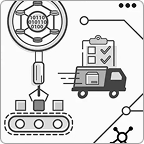
Enterprise Automation Platform
UX strategy · IA · User flows · Product UI
Clarifying a complex multi-module product with overlapping workflows, user roles and technical logic.
Where Product Design fits
Product Design usually follows early strategy and discovery, but it can also begin when an existing product needs to be improved, redesigned or made more consistent.It sits between UX Strategy, Information Architecture, UI Design, Design Systems and Front-End Development. Strategy helps define the direction.
Product design turns that direction into flows, screens and behaviours. UI design gives the experience visual clarity. Design systems make it scalable. Front-end development brings it closer to production.
Related areas
UX Strategy · Information Architecture · UI Design · Design Systems · Front-End Development
Related Certifications

NN/g’s Certified
Certified in UX Management by Nielsen Norman Group
My UX Management Specialty supports the way I work with product teams, stakeholders and complex decision-making — not only designing screens, but helping structure the process behind them.
Is your product harder to use than it should be?
I can help you clarify the flows, screens and decisions that shape the product experience.
Methods & Tools
User Interviews · Usability Testing · Heuristic Evaluation · UX Audits · Journey Mapping · Workshops · A/B Testing · Card Sorting · Data Analysis