



UX Strategy
Strategy, Research, Product
Clarifying what needs to be designed — before screens, features or technology decisions take over.

I help teams understand users, business goals, workflows and product constraints so design decisions are based on structure, evidence and intent — not assumptions.
- UX Strategy
- User Research
- Context Analysis
- Information Architecture
- User Flows
- Customer Journeys
- UX Audits
- Discovery Workshops
- Prototyping
- Usability Testing

What UX Strategy means in practice
UX Strategy is not a document for its own sake. It is a way to reduce ambiguity before teams invest time in detailed design, development or content production.
It helps answer important questions: who are we designing for, what are they trying to do, where are they struggling, what does the business need to achieve, and how should the experience be structured to support both sides?

Problems I help solve
- The product or website has grown without a clear structure
- Users struggle to understand where to go or what to do next
- Teams are discussing features before agreeing on the core problem
- The interface reflects internal business logic instead of user intent
- Important journeys are fragmented across pages, tools or departments
- Design decisions are being made too late, after technical choices are already locked in
- Stakeholders need a clearer shared picture before moving forward

How I approach UX Strategy
I start by understanding the context:
- business goals,
- user groups,
- current journeys,
- content,
- workflows,
- constraints
- risks
Then I map the experience, identify friction and define a clearer structure for the product, website or service.
The outcome is not only a better interface direction, but a better shared understanding between stakeholders, designers, developers and decision-makers.
Typical artefacts
Problem framing
Problem framing helps define what actually needs to be solved before the team moves into screens, features or implementation.
This can include understanding business goals, user needs, constraints, risks, assumptions and the reason the project exists in the first place. It is especially useful when different stakeholders describe the problem in different ways, or when a product has grown without a clear shared direction.
Why it mattered
UX audits
A UX audit reviews an existing product, website or workflow to identify friction, confusion, usability issues and missed opportunities.
I look at structure, navigation, hierarchy, forms, content, interaction patterns, accessibility basics and the clarity of key user journeys. The goal is not only to list problems, but to prioritise what should be improved first and explain why it matters.
Research synthesis
Research synthesis turns scattered observations into useful product insight.
This may include organising interview notes, stakeholder input, analytics signals, support feedback or usability findings into themes that help the team understand what users need, where they struggle and what decisions should be made next.
User journeys
User journeys show how people move through a product, service or decision process over time.
They help identify user goals, questions, emotions, friction points and moments where the experience needs to provide guidance, reassurance or a clearer next step. Journeys are especially useful for service websites, onboarding, application flows and complex products with multiple stages.
Task flows
Task flows focus on the specific steps a user takes to complete an action.
They are useful for forms, booking journeys, dashboards, internal tools, approval flows and any experience where the order of actions matters. A good task flow helps reveal unnecessary steps, unclear decisions, missing states and places where the interface needs to support the user better.
Information architecture
Information architecture defines how content, pages, features or product areas are organised.
It helps users understand where they are, where to go next and how different parts of the experience relate to each other. This can include sitemaps, navigation models, content hierarchy, product modules, page relationships and structural decisions that make the experience easier to understand.
Design systems
Design systems help keep interfaces consistent, scalable and easier to maintain.
This can include components, patterns, variables, design tokens, usage rules, documentation and shared principles for how the interface should behave. A good design system reduces repeated decisions and helps teams design and build with more consistency.
Content and page structure
Content structure defines what needs to appear on a page, in what order, and why.
This is especially important for websites, landing pages, service pages and complex product screens where users need to understand information before taking action. It connects UX, content strategy, SEO, hierarchy and conversion into a clearer page-level experience.
Design principles
Design principles help define how the experience should feel and behave across screens, journeys and decisions.
These are not generic values like “simple” or “modern”. They should be practical enough to guide decisions — for example when to prioritise speed over explanation, when to add reassurance, how much control the user needs, or how the interface should handle complexity.
Related work
Selected projects where product design helped clarify workflows, simplify complexity and create more usable digital experiences.
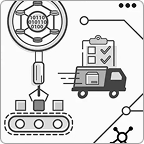
Enterprise Automation Platform
UX strategy · IA · User flows · Product UI
Clarifying a complex multi-module product with overlapping workflows, user roles and technical logic.
Where UX Strategy fits
UX Strategy is most valuable before major design or development work begins, but it is also useful when an existing product needs to be reviewed, simplified or repositioned.
It can support a new product, a redesign, a website rebuild, an internal tool, a service journey, a design system or a complex digital transformation project.
This often connects with
UX Strategy often leads directly into product design, information architecture and interface design. It defines the structure and decision-making foundation that later screens, components and flows are built on.
Product Design · Information Architecture · Design Systems
Related Certification

NN/g’s Certified
Certified in UX Management by Nielsen Norman Group
My UX Management Specialty supports the way I work with product teams, stakeholders and complex decision-making — not only designing screens, but helping structure the process behind them.
Is your product harder to use than it should be?
I can help you clarify the flows, screens and decisions that shape the product experience.