



The Process
Not just screens — the thinking behind them. I use UX artefacts, product structure, interface design and implementation thinking to help teams move from complexity to clarity.
The exact steps change depending on the project, but the goal is always the same: reduce ambiguity and make better decisions visible.
1. Understanding
I like to start by understanding the project context: business goals, users, workflows, constraints, existing problems and technical realities.This stage may include discovery, stakeholder conversations, UX audits, research synthesis, product analysis or reviewing the current website/product structure.
Typical artefacts:
- Problem framing
- UX audits
- Research synthesis
- Stakeholder notes
- Assumption mapping
- Current-state review
2. The Structure
Before designing screens, I organise the experience. This includes information architecture, user flows, task flows, navigation models, content hierarchy, product area mapping and page or screen relationships.
Typical artefacts:
- Sitemaps
- Navigation models
- Information architecture
- User flows
- Task flows
- Content structure
- Product area maps
3. Design
Once the structure is clearer, I move into interface design.This stage turns product logic, workflows and content hierarchy into wireframes, UI screens, interaction states, responsive layouts and visual direction.
Typical artefacts:
- Wireframes
- UI concepts
- High-fidelity screens
- Forms
- Dashboards
- TablesInteraction states
- Responsive layouts
4. Systemise
Repeated decisions become part of a system.This can include components, patterns, Figma Variables, design tokens, naming conventions, responsive values, documentation and design system foundations.
Typical artefacts:
- Component libraries
- Design tokens
- Figma Variables
- Tokens Studio setup
- Naming conventions
- Responsive collections
- Pattern documentation
5. Build
I support or execute implementation where it makes sense.This may include front-end prototypes, WordPress builds, responsive implementation, developer handoff, design QA or connecting design system decisions with code.
Typical artefacts:
- Front-end prototypes
- WordPress implementation
- HTML/CSS/JS
- Developer handoff
- Design QA
- Implementation notes
Selected artefacts
These artefacts help make thinking visible. They are not produced for documentation alone — each one supports a decision about structure, flow, interface behaviour or implementation.
Problem Framing
Clarifying what actually needs to be solved, for whom, and under which business, user and technical constraints.
Workflow Mapping
Mapping the steps, decisions, roles and system states behind key user or product workflows.
Information Architecture
Structuring content, navigation, pages and product logic so the experience is easier to understand and use.
Wireframes
Testing layout, hierarchy, content priority and interaction logic before detailed visual design.
UI Design
Turning structure and workflows into clear screens, visual hierarchy, components and interaction states.
Design Systems
Creating reusable components, variables, tokens, naming conventions and documentation that help design and development stay consistent.
Developer Handoff
Preparing responsive behaviour, component states, edge cases and implementation notes so the build is clearer and smoother.
UX Recommendations
Turning findings into practical next steps based on impact, effort, urgency and product value.
Flexibility?
No problem. Every project is different, every team is unique. A small website may need a lightweight structure, clear content hierarchy and careful UI execution. While a complex product may need deeper discovery, workflow mapping, role clarification, information architecture and design system work. I adjust the process to the project, but I do not skip the thinking that makes the work clearer.
How this helps
A clear process helps reduce risk. It gives teams a shared understanding before too much time is spent on detailed design or development. It also makes decisions easier to explain, review and implement.
Good process does not slow the project down. It prevents expensive confusion later.
Related work
Related workSelected projects where information architecture helped clarify content, navigation, workflows or product structure.
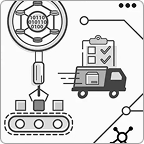
Enterprise Automation Platform
UX Strategy · Information Architecture · Product Design
Reorganising a complex product around workflows, roles and product areas rather than accumulated functionality.
Need to bring more clarity to a complex project?
I can help structure the problem, map the experience and move the work toward design and implementation.