



Information Architecture
Structuring digital products, websites and services so people can understand where they are, what matters and what to do next.

I help teams organise content, navigation, workflows and product logic into clearer digital structures.
Good information architecture makes complex experiences easier to understand, easier to use and easier to build.
- SaaS Products
- Internal Tools
- Enterprise Platforms
- Service Journeys
- Dashboards
- Portls
- Service Products
- Complex Web Apps
- Content-heavy Systems
- Websites

What Information Architecture means in practice
Information architecture is the structure behind a digital experience.It defines how content, pages, features, workflows and product areas are organised. It helps users understand where they are, where they can go next and how different parts of a website or product relate to each other.
In practice, information architecture can shape navigation, page hierarchy, content grouping, product modules, user flows, taxonomies, labels, sitemaps, menu structures and the relationship between screens or sections.When IA is weak, users feel lost even if the interface looks good. When IA is strong, the experience feels calmer, more obvious and easier to use.

Problems I help solve
- The website or product has grown without a clear structure
- Users struggle to find the right information or action
- Navigation reflects internal business logic instead of user intent
- Content is duplicated, fragmented or difficult to maintainImportant pages, features or workflows are buried too deep
- Different audiences are forced through the same structure
- Product areas or services overlap and confuse users
- The site or platform is difficult to explain to clients, users or stakeholders
- New features or pages are being added without a scalable structure
- Design work starts too early, before the experience is properly organised

How I approach Information Architecture
I start by understanding the purpose of the product or website, the people using it, and the tasks or decisions they need to complete. From there, I map the existing structure, identify friction, group related content or functionality, and define a clearer model for navigation, page hierarchy or product organisation.
The work often involves moving from a structure based on internal assumptions to a structure based on user intent: what people are trying to do, what they need to understand first, and what information or actions should come next.The result is a clearer foundation for UX design, UI design, content creation, SEO, development and long-term maintenance.
Journey Map
Surveys
A/B testing
Usability Testing
Focus Groups
Typical artefacts
Sitemaps
Sitemaps show how pages, sections or product areas are connected.For websites, a sitemap helps define the overall structure before individual pages are designed. For products or platforms, a similar map can show modules, screens, workflows or areas of functionality.
A good sitemap is not just a list of pages. It should reflect user intent, content priority and the relationship between different parts of the experience.
Why it mattered
Navigation models
Navigation models define how users move through a digital experience.This can include primary navigation, secondary navigation, contextual navigation, breadcrumbs, footer links, search, filters and menu structures.The goal is to make movement through the experience feel predictable. Users should not need to understand the organisation’s internal structure before they can find the right path.
Content hierarchy
Content hierarchy defines what information appears first, what supports it and what can be revealed later.This is especially important for service pages, landing pages, product screens and content-heavy websites. Good hierarchy helps users understand the page quickly and decide what to do next.It also supports clearer writing, better UI design and more focused calls to action.
Taxonomy and labelling
Taxonomy and labelling define how content, features or services are named and grouped.This matters because users rely on labels to decide where to go. If labels are vague, internal or inconsistent, the experience becomes harder to navigate.Good labelling turns internal terminology into language that users can recognise, understand and act on.
Card sorting and content grouping
Card sorting helps explore how people naturally group content, features or topics.It can be used during website redesigns, product restructuring or navigation planning. The goal is to understand whether the proposed structure matches how users think about the information.Even when used informally, content grouping can reveal overlaps, unclear categories and labels that need to change.
Tree testing and structure validation
Tree testing helps check whether users can find information inside a proposed structure.Unlike visual testing, it focuses on the structure itself: categories, labels and navigation paths. This makes it useful before detailed UI design, when changes are still easier to make.It can reveal whether users understand the proposed navigation or whether important items are hidden in the wrong place.
Product area mapping
Product area mapping helps organise complex platforms into clearer sections, modules or workflows.This is useful when a product has grown over time and features are grouped around technical history rather than user intent.The aim is to make the product easier to explain, navigate and scale by showing how its main areas relate to user tasks and business purpose.
Pages/screens relationships
Page and screen relationships show how different parts of the experience connect.This is useful for websites, applications, portals and internal tools where users move between overview pages, detail pages, forms, dashboards, confirmation screens and error states.Mapping these relationships helps avoid isolated screen design and creates a clearer experience model.
CMS and content structure
CMS and content structure define how content should be organised behind the interface.This is important for WordPress, headless CMS projects, multilingual sites, service websites, product catalogues, article libraries and content-heavy systems.A good content structure makes the site easier to maintain, extend, translate and reuse over time.
IA for different types of work
Selected projects where product design helped clarify workflows, simplify complexity and create more usable digital experiences.
For websites and service businesses
For websites, information architecture helps define the sitemap, navigation, page hierarchy and content structure.It answers questions such as: what belongs in the main navigation, which pages should exist, how service pages should be grouped, how users move from information to contact, and where trust-building content should appear.
This is especially important for service websites, local businesses, multilingual sites, product catalogues and content-heavy pages.
For digital products and platforms
For digital products, information architecture helps organise features, modules, workflows, screens and states.It supports clearer navigation, better product structure and more consistent interface patterns.
In complex platforms, IA can help separate overview, execution, administration, support, reporting and configuration areas.
For redesigns
For digital products, information architecture helps organise features, modules, workflows, screens and states.It supports clearer navigation, better product structure and more consistent interface patterns.
In complex platforms, IA can help separate overview, execution, administration, support, reporting and configuration areas.
For design systems and implementation
Information architecture also affects design systems and development.When product areas, page types and content patterns are clearer, it becomes easier to identify reusable components, define templates and build systems that can scale.
Related areas
UX Strategy · Product Design · UI Design · Design Systems · Front-End Development
Where Information Architecture fits
Information architecture usually sits between UX strategy and detailed interface design.It often follows discovery, audits or product analysis, and creates the structure that UI design, content and development can build on.
In many projects, IA is the point where vague requirements become a clearer model: which pages or product areas exist, how they connect, what each one is responsible for and how users move through them.
Typical outputs
- SitemapsNavigation structures
- Content inventories
- Page hierarchy
- User flows
- Task flows
- Product area maps
- Taxonomy and labelling recommendations
- Card sorting outputs
- Tree testing plansScreen relationship maps
- CMS content models
- Page templates
- Structural UX recommendations
Related work
Related workSelected projects where information architecture helped clarify content, navigation, workflows or product structure.
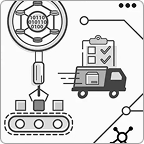
Enterprise Automation Platform
UX Strategy · Information Architecture · Product Design
Reorganising a complex product around workflows, roles and product areas rather than accumulated functionality.
Related Certifications

NN/g’s Certified
Certified in UX Management by Nielsen Norman Group
My UX Management Specialty supports the way I work with product teams, stakeholders and complex decision-making — not only designing screens, but helping structure the process behind them.
Need a clearer structure before redesigning?
I can help organise your content, navigation and product logic so the experience becomes easier to use, explain and build.
Methods & Tools
User Interviews · Usability Testing · Heuristic Evaluation · UX Audits · Journey Mapping · Workshops · A/B Testing · Card Sorting · Data Analysis